
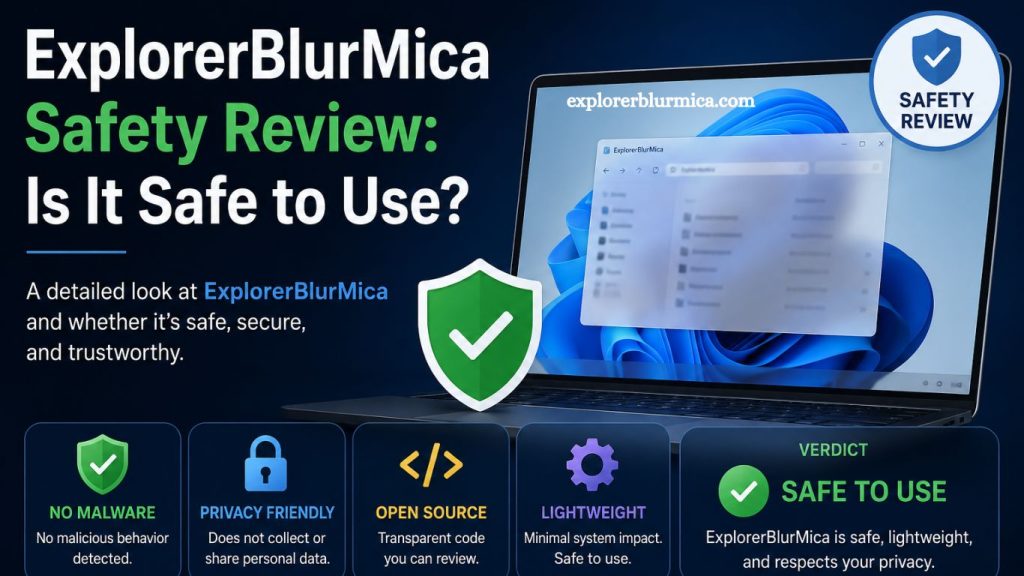
ExplorerBlurMica has gained attention among Windows customization enthusiasts looking for a modern, translucent, and visually enhanced file explorer experience. Before installing or using any third-party system modification tool, it is essential to understand its safety, functionality, and potential risks. This article provides a detailed and human-focused breakdown of ExplorerBlurMica, helping users make an informed decision.
Understanding ExplorerBlurMica and Its Purpose
ExplorerBlurMica is a customization utility that modifies the appearance of Windows File Explorer. It applies blur and mica-style transparency effects inspired by modern Windows design language. Users typically install it to enhance visual aesthetics, improve interface consistency, and achieve a more polished desktop experience.
The tool is not a core system utility. Instead, it operates as a visual modification layer over existing Windows components. Because of this, its safety depends on how it interacts with system files, background processes, and Windows Explorer behavior.
Read More: ExplorerBlurMica Windows 10 Compatibility Explained
How ExplorerBlurMica Works in the Windows Environment
ExplorerBlurMica integrates with the Windows graphical interface by injecting visual changes into File Explorer. It modifies themes, transparency layers, and window rendering elements. These changes aim to replicate the Fluent Design and Mica effects seen in newer Windows versions.
Unlike standard applications, ExplorerBlurMica interacts closely with system UI elements. This level of integration requires careful permissions, which often raises concerns about system stability and security.
The software typically runs in the background and dynamically applies visual changes. Any tool operating at this level must be evaluated for reliability and source authenticity.
Safety Evaluation of ExplorerBlurMica
Source Reliability
Safety begins with the source of download. ExplorerBlurMica is usually distributed through open-source platforms or community repositories. Open-source availability allows users to inspect the code, increasing transparency. However, unofficial downloads from third-party sites can introduce risks such as malware or modified code.
Users should always verify authenticity before installation. Trusted repositories reduce the chances of compromised files.
System Permission Requirements
ExplorerBlurMica requires access to system-level UI components. These permissions allow it to modify the appearance of File Explorer. While this is necessary for functionality, elevated permissions always carry potential risk.
Programs with system access can affect stability if poorly coded. In worst-case scenarios, incorrect modifications may lead to UI glitches or Explorer crashes. However, no evidence suggests malicious intent when obtained from legitimate sources.
Malware and Security Concerns
Security scanning reports from community users generally indicate that ExplorerBlurMica itself is not inherently malicious. The primary risk arises from unofficial or tampered versions distributed outside trusted channels.
To minimize security threats:
- Download only from verified repositories
- Scan files using updated antivirus software
- Avoid modified or cracked versions
Following these steps significantly reduces exposure to malware-related issues.
Impact on System Stability
ExplorerBlurMica modifies visual rendering processes in Windows Explorer. While this improves aesthetics, it may occasionally cause performance issues or visual bugs on unsupported system versions.
Possible effects include:
- Temporary Explorer restart
- Minor UI glitches
- Incompatibility after Windows updates
These issues are generally reversible by uninstalling or turning off the tool. System damage is not typical when using stable releases.
Advantages of Using ExplorerBlurMica
Despite concerns, many users prefer ExplorerBlurMica for its visual enhancements. Benefits include:
Modern Aesthetic Improvements
The tool introduces a sleek blur-and-transparency effect that aligns with modern UI design trends.
Lightweight Performance Impact
Compared to heavier customization tools, ExplorerBlurMica generally consumes minimal system resources.
Customization Flexibility
Users gain control over the appearance of File Explorer, allowing personalization beyond default Windows settings.
Community Support
Open-source nature often results in community-driven updates and troubleshooting assistance.
Potential Risks to Consider
Even though ExplorerBlurMica is widely used, certain risks must be acknowledged:
Compatibility Issues
New Windows updates may break compatibility, leading to unexpected behavior.
System UI Dependency
Since it modifies Explorer, any failure in the tool directly affects the file navigation interface.
Security Exposure from Unsafe Downloads
Unverified sources remain the most significant threat factor.
Who Should Use ExplorerBlurMica?
ExplorerBlurMica suits users who:
- Prefer customizing Windows appearance
- Understand basic system modification risks
- Download software from trusted sources
- Are comfortable troubleshooting minor UI issues
It may not be ideal for users who prioritize absolute system stability or avoid third-party modifications.
Safe Installation Practices
Ensuring safe usage depends heavily on installation habits. Recommended practices include:
- Using official or verified GitHub repositories
- Checking user reviews and community feedback
- Creating a system restore point before installation
- Keeping Windows updated
- Running antivirus scans regularly
These precautions significantly improve safety and reduce risk exposure.
Frequently Asked Questions
What is ExplorerBlurMica used for?
ExplorerBlurMica enhances the visual appearance of Windows File Explorer by adding blur and mica transparency effects for a modern interface.
Is ExplorerBlurMica safe to install?
ExplorerBlurMica is generally safe when downloaded from trusted and official sources. Unverified downloads may carry security risks.
Does ExplorerBlurMica contain viruses or malware?
The original version is not considered malware. Risks usually come from modified or unofficial versions shared on third-party websites.
Can ExplorerBlurMica harm my computer?
It does not harm hardware or core system files, but it may cause minor UI glitches or File Explorer instability in some cases.
Is ExplorerBlurMica compatible with all Windows versions?
Compatibility may vary depending on Windows updates. Some newer or older versions may experience limited functionality or bugs.
Do I need technical skills to use ExplorerBlurMica?
Basic understanding of Windows customization is helpful, but most users can install and use it by following simple instructions.
How can I use ExplorerBlurMica safely?
Download only from verified sources, scan files with antivirus software, create a restore point, and avoid unofficial modified versions.
Conclusion
ExplorerBlurMica delivers a modern visual upgrade for Windows File Explorer through blur and mica transparency effects. Safety remains acceptable when the tool is downloaded from trusted sources and installed correctly. Risks mainly arise from unofficial versions, system compatibility issues, or improper installation rather than the software itself.